

Step 1.
From the Choose Collaborators step in the Upload Proof window, add your collaborators, click on the ellipsis button on the top-right corner and select on Save as Group.
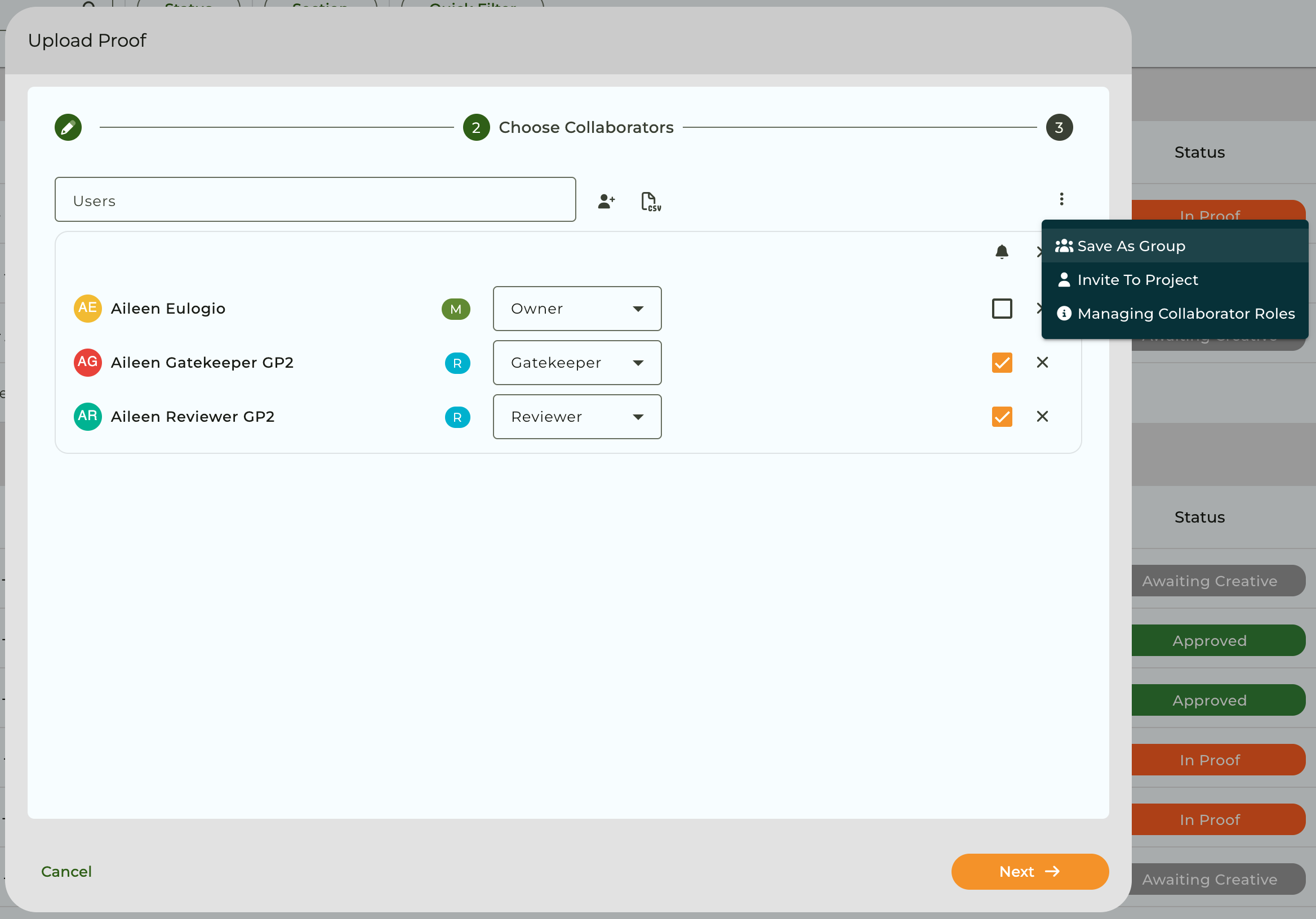
Step 2.
Enter the group name in the text field provided and confirm.
Step 3.
Follow the next steps to send your proof.
Once done, the group is created and saved which can be accessed again for future use from the ellipsis button and selecting the Add group option.

Pro tip! If you are creating or selecting a collaborator group when sending a proof from the GoProof extension, look out for the Save as Group button and the Group icon for this feature.

To learn how to manage the groups you have created, visit this helpsheet for guidance.


