
Adding Collaborators/Users via CSV

This feature is only available to Members, GoProof Admins and Gatekeepers.

When you are on teh GoProof website and are on a screen where you can add Users to a Job, Users to a Project or Selecting Users to add to a proof you'll see the CSV option.

Step 1.
Click on the CSV Button

Step 2.
Create a CSV File formmated with the follwoing headers:

First Name | Last Name | Email
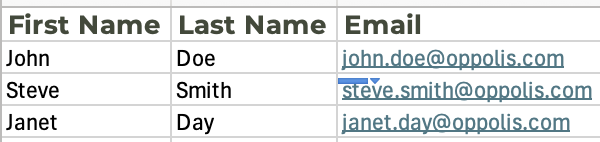
Step 3.
Select the CSV saved on your computer
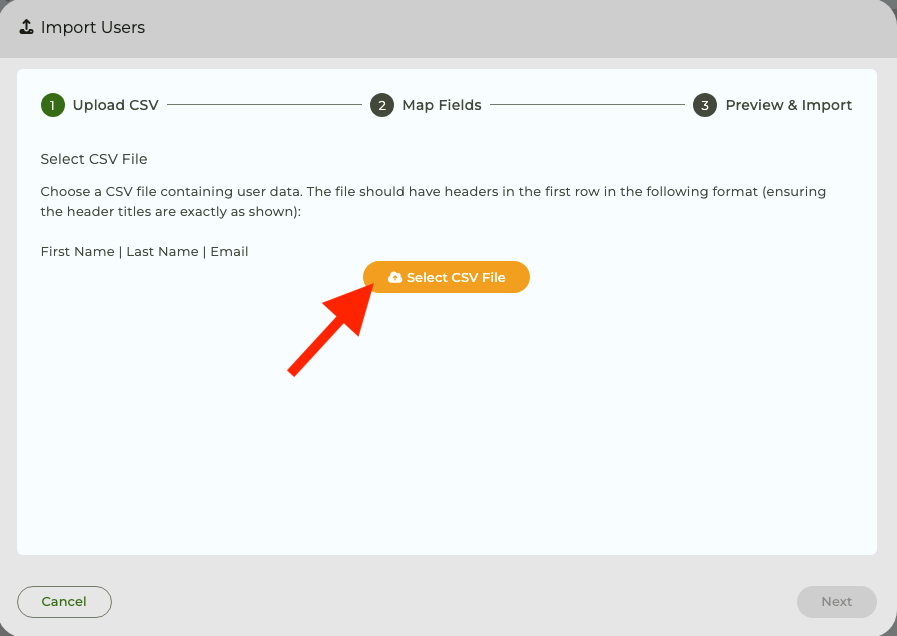
Step 4.

Once uploaded you'll see the data successfully found. Click Next
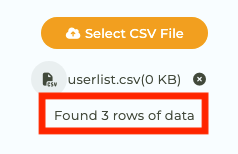
Step 5.

Verify the mapping and click Next

Step 6.

View the data being imported.and select the required role as a User or as a Collaborator and click Import Users.
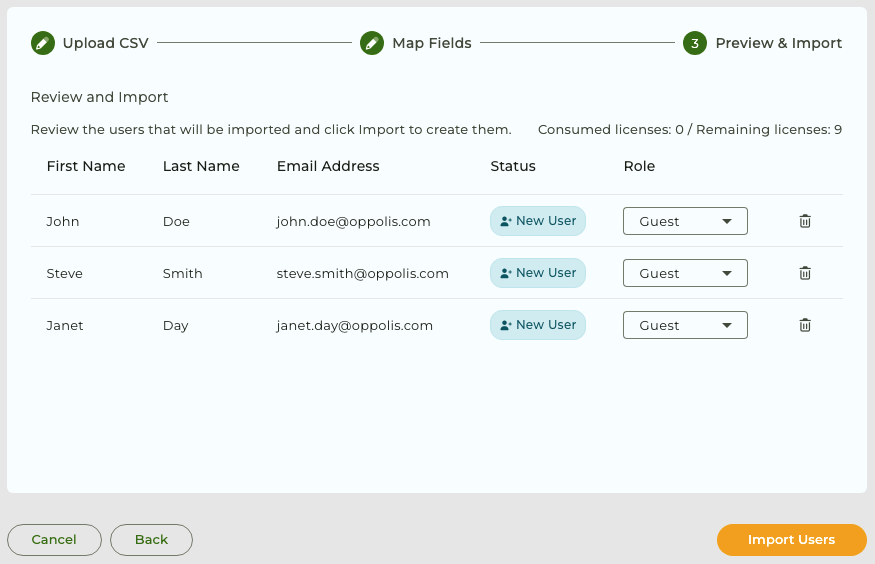
That's it you've successfully added users or collaborators via CSV import

The key benefits of GoProof

Efficient online proofing
Collaborate internally and externally

Complete projects on time
Collect comments in one place, not email threads

Transform creative collaboration
View activity, workload, and version history

Seamless integrations
Proof from InDesign, Photoshop, Illustrator or Premiere Pro

More organised and in control
Add stakeholders with flexible permissions

Never miss a deadline again
Multi-stage reviews with triggers and routing

Smarter Proofing. Faster Approvals. GoProof.
No credit card required.
Find GoProof online:
Accept
By clicking “Accept”, you agree to the storing of cookies on your device to enhance site navigation, analyze site usage, and assist in our marketing efforts. View our Privacy Policy for more information. Update your Cookie Preferences.