

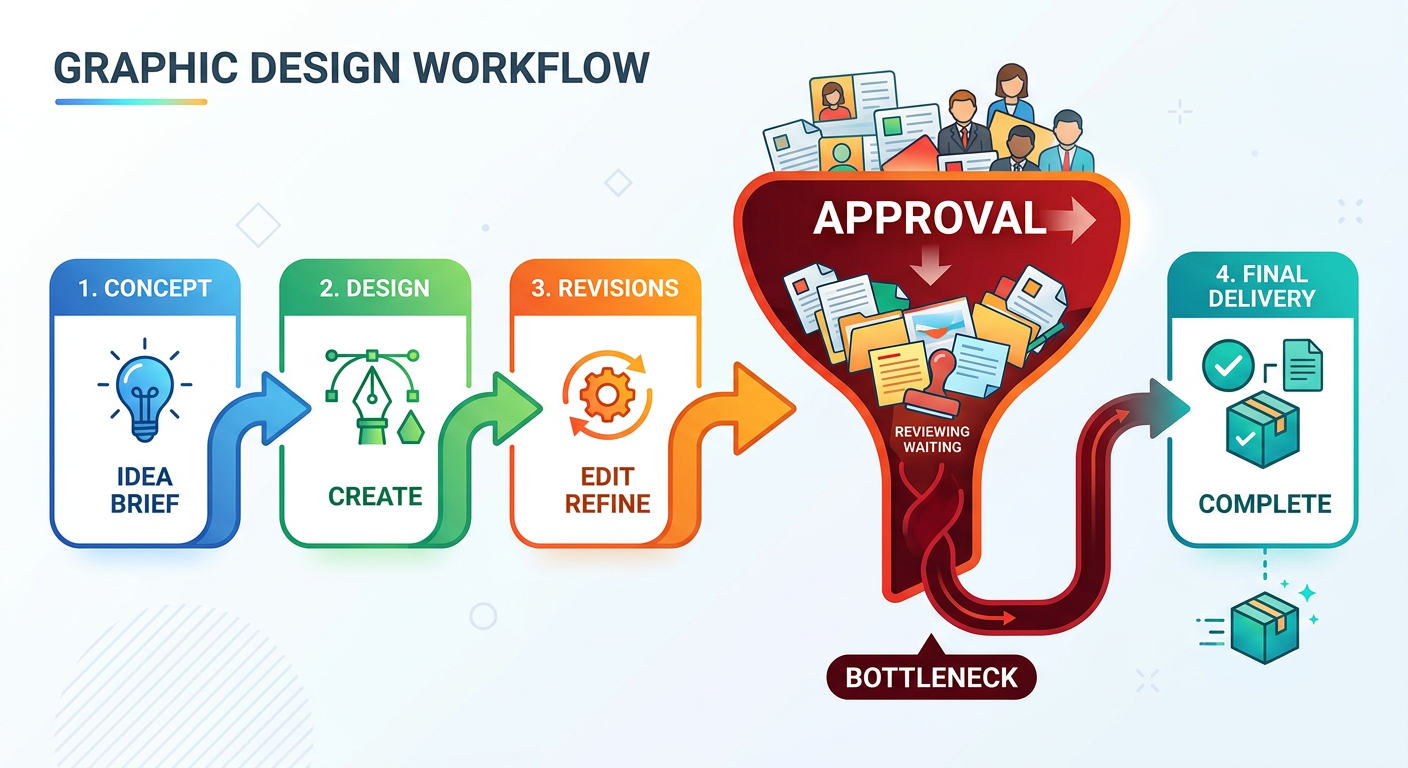
Automating your creative approval process will not, on its own, reduce the number of revision cycles your team goes through. That's the uncomfortable truth behind a lot of workflow tooling advice, and it's worth saying plainly before we go any further.
The pitch is seductive: automate the reminders, auto-route files to the next reviewer, trigger notifications when a deadline passes. All of that sounds like progress. And in isolation, each of those things does save time. But if your underlying approval process is unclear: if reviewers don't know what they're supposed to be deciding, or feedback arrives in six different places, or the same asset gets reviewed by people with overlapping and contradictory authority, then automation just delivers those problems faster and at greater volume.
Speeding up a broken process doesn't fix it. It makes the breakage more expensive.
The instinct to reach for automation usually comes from a real frustration: approvals take too long. A piece of creative work sits in someone's inbox for three days. A stakeholder gives feedback that contradicts what another stakeholder approved last week. A deadline slips because nobody realised the legal review hadn't started yet.
These feel like speed problems. But look more closely and you'll find they're almost always process problems:
Automating around these problems doesn't resolve them. An automated reminder sent to the wrong person, at the wrong stage, asking them to approve something they don't have the context to judge. That's not efficiency. That's friction with a faster delivery mechanism.
Human-centred isn't a soft, feel-good qualifier. In the context of design feedback management, it means something specific: the workflow is designed around how humans actually make decisions, not around the theoretical speed at which tasks could move.
Humans need context to give useful feedback. They need to know what's already been decided, what's still open, and what their specific role in the review is. They need friction removed from the act of giving feedback, but not removed from the act of receiving accountability.
A human-centred review workflow typically has three structural properties:
Each reviewer knows whether they are approving, advising, or being informed. "For your awareness" is not the same as "please approve by Friday." Collapsing that distinction is one of the most reliable ways to generate unnecessary revision rounds.
Structured proofing tools enforce this distinction by design. In GoProof, for example, the workflow is built around clearly assigned reviewers with explicit approval responsibilities, so there's no ambiguity about who needs to act and what action is required.
Feedback that lives in multiple places is feedback that contradicts itself. When a designer has to reconcile a comment from an email thread with an annotation on a proof and a Slack message from a different stakeholder, the cognitive load alone slows the revision process, before you even account for the errors that creep in when context is assembled from fragments.
Consolidating feedback into one structured environment is one of the highest-leverage changes a creative team can make. It's not glamorous. It doesn't involve any particularly sophisticated technology. But teams that make this shift typically report cutting revision rounds by a meaningful margin simply because designers receive clearer, more consistent direction.
Not all reviewers need to see a proof at the same time. Legal doesn't need to weigh in on a layout that the creative director hasn't approved yet. A client shouldn't be commenting on copy that hasn't passed brand compliance. Running reviews in an unstructured parallel creates noise, rework, and conflicting instructions.
Sequencing approvals, even loosely, means each stage builds on confirmed decisions from the previous one. This alone tends to reduce the total number of comments per review cycle, because later-stage reviewers aren't relitigating decisions that should already be settled.
None of this is an argument against automation. It's an argument for applying automation to the right problems.
Once you have a clear process (defined roles, a single feedback channel, sequenced stages), automation becomes genuinely powerful. Specifically, it helps with:
The pattern here is consistent: automation handles the mechanical, predictable, high-repetition parts of the workflow. Humans handle the judgement. When those responsibilities are clearly separated, both work better.
GoProof is built around this principle: the platform handles routing, notifications, and audit logging automatically, while keeping the actual review and approval decisions firmly with the people who have the context to make them well.
One more honest observation: adding a new tool to an unclear process is itself a form of the automation fallacy. A proofing platform, a project management tool, a Slack integration: none of these fix a workflow that lacks defined ownership and clear stages.
What they can do is make a good process significantly more efficient, and make its outputs much more auditable and consistent. The technology amplifies the process. If the process is sound, the amplification is valuable. If the process is broken, the amplification is noise.
This is why the most effective creative teams we see using GoProof typically spend time upfront mapping their approval stages, assigning clear roles, and agreeing on what "approved" actually means at each stage, before they configure any automation. The tool then does what tools do best: it removes friction from a workflow that already makes sense.
If you're not sure whether your current process is ready for automation, these four questions are a useful starting point:
If you can answer yes to all four, you're in a good position to add automation and see real results. If you can't, the automation investment will underperform, and you'll be back to diagnosing the same bottleneck six months from now.
Most approval bottlenecks are caused by unclear reviewer responsibilities, fragmented feedback across multiple channels, and unsequenced review stages, not simply by slow individual tasks. Addressing these structural issues tends to reduce revision cycles more effectively than automation alone.
No. Automation amplifies the process you already have. If your approval process lacks defined roles and clear stages, automating it will deliver the same confusion faster. Automation is most effective after the underlying workflow is structured and roles are clearly assigned.
Industry experience suggests that creative projects without structured proofing workflows often go through four or more revision rounds. Teams using structured, sequential approval workflows with consolidated feedback channels typically reduce this to two or three rounds, a reduction driven largely by clearer direction and less contradictory feedback.
Proofing software is purpose-built for visual feedback and creative approvals. It provides inline annotation, version control, and approval tracking directly on the creative asset. General project management tools handle task tracking and scheduling but lack the structured feedback mechanisms needed to manage design review cycles effectively.
GoProof automates the mechanical parts of the approval workflow (routing, reminders, and audit logging) while keeping the actual review and approval decisions with the assigned human reviewers. The platform is designed so that automation handles process logistics, not judgement calls.


